


Managed IT Services for Healthcare Practices: Protect Patient Data, Reduce Downtime, and Support HIPAA Security
By MotivIT, LLC Editorial Team · Published September 2, 2026

Table of Contents
When an electronic health record system becomes unavailable, a Microsoft 365 account is compromised, or a network connection fails, the effects can quickly reach patient scheduling, clinical documentation, prescriptions, billing, referrals, and communication between staff.
Cybersecurity adds another layer of risk.
In July 2026, the U.S. Department of Health and Human Services Office for Civil Rights announced its 21st ransomware enforcement action. The investigation involved a healthcare system breach affecting 53,907 individuals and resulted in a $552,250 settlement. The corrective action plan included requirements for an accurate security risk analysis and a risk-management plan. HHS continues to emphasize risk analysis as a foundational part of protecting electronic protected health information (ePHI).
For medical practices without a large internal IT or cybersecurity team, keeping every device, account, network, EHR connection, cloud service, backup, and security control properly managed can become difficult.
That is where managed IT services for healthcare can help.
A healthcare-focused Managed Service Provider, or MSP, can take responsibility for day-to-day technology management while helping the practice strengthen cybersecurity, improve system reliability, support employees, and maintain technical safeguards related to HIPAA requirements.
MotivIT provides managed IT services that include network monitoring, endpoint protection, patch management, Microsoft 365 support, cybersecurity, cloud services, user assistance, and disaster-recovery planning. For healthcare organizations, these capabilities can be combined with experience supporting EHR environments and HIPAA-sensitive infrastructure.
Managed IT services for healthcare help medical practices manage and secure the technology behind patient care. This may include employee IT support, endpoint protection, Microsoft 365 security, network monitoring, EHR connectivity, patching, backups, vendor coordination, and cybersecurity risk management.
Effective HIPAA IT support does not automatically make a practice HIPAA compliant. Instead, it helps the organization implement, maintain, document, and monitor technical safeguards while the practice retains responsibility for its overall HIPAA obligations.
Key Takeaways
- Healthcare IT affects patient care, revenue, cybersecurity, and compliance—not only employee productivity.
- HIPAA requires regulated entities to assess risks to electronic protected health information and implement reasonable and appropriate safeguards.
- Healthcare IT support should cover users, endpoints, networks, Microsoft 365, EHR-related infrastructure, vendors, backups, and incident response.
- An MSP that accesses or maintains ePHI may qualify as a HIPAA business associate and may need a Business Associate Agreement.
- Proactive monitoring and standardized support can reduce recurring disruptions across single- and multi-location practices.
- A healthcare-focused MSP should understand both technical systems and the operational consequences of IT failures in a clinical environment.
Why Healthcare Practices Need Specialized IT Support
A typical medical practice may depend on:
- Electronic health record platforms
- Practice-management software
- Patient scheduling systems
- Claims and billing applications
- Microsoft 365
- Secure messaging
- Telehealth platforms
- Imaging and diagnostic systems
- Cloud storage
- Workstations and mobile devices
- Internet-connected medical or office equipment
- Multiple software and technology vendors
Each system may involve separate accounts, permissions, updates, integrations, security requirements, and support contacts.
For a practice manager, this creates a difficult question:
Who is responsible for keeping all of it secure and working together?
Without defined ownership, responsibility often becomes fragmented. The EHR vendor handles its application. The internet provider handles connectivity. Microsoft handles the cloud platform. An internal employee handles basic troubleshooting. A separate technician gets called when something breaks.
The practice is left coordinating the gaps.
Healthcare IT support creates a more structured model by giving one provider broader responsibility for the technology environment and coordination with other vendors.
Downtime Can Disrupt Patient Care
In healthcare, it can affect the delivery of care itself.
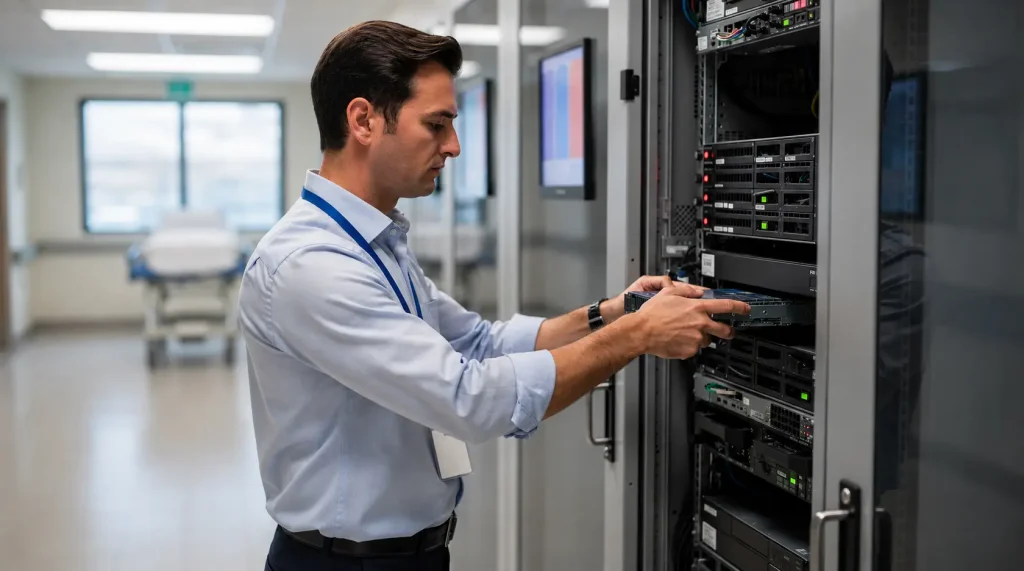
An unavailable EHR may prevent clinicians from reviewing patient histories or documenting encounters. A network issue can interrupt access to scheduling or imaging systems. An email outage can delay referrals and communication. A failed workstation may prevent front-desk staff from checking in patients.
That is why reliability should be evaluated in terms of clinical impact, not simply server uptime.
A healthcare-focused MSP should help the practice understand:
- Which systems are critical to patient care
- Which applications cannot tolerate prolonged downtime
- How employees should report urgent issues
- Which vendors need to be involved
- What can continue manually during an outage
- Which systems must be restored first
Healthcare IT Also Carries Regulatory Risk
The HIPAA Security Rule requires regulated organizations to assess potential risks and vulnerabilities to the confidentiality, integrity, and availability of ePHI and implement reasonable and appropriate security measures.
HHS describes risk analysis as the first step in the HIPAA Security Rule compliance process. Its guidance also emphasizes that risk analysis should be an ongoing process rather than a one-time exercise.
This means technology changes matter.
Adding a new EHR integration, cloud platform, remote employee, clinic location, or vendor can change the organization’s risk environment.
HIPAA IT support should therefore help practices evaluate and manage technology risks continuously—not only before an audit or after a breach.
What Managed IT Services for Healthcare Should Cover
A solo specialty practice has different requirements from a multi-location physician group. However, a strong managed IT program should address several core areas.
| Healthcare Need | Managed IT Responsibility | Business Impact |
|---|---|---|
| Employee IT support | Help desk, troubleshooting, escalation | Less staff time lost to technical problems |
| Endpoint security | Device protection, EDR, encryption, patching | Reduces exposure from compromised devices |
| Identity management | MFA, permissions, onboarding, offboarding | Helps prevent unauthorized access |
| Microsoft 365 | Email, account security, licensing, permissions | Protects a major communication and productivity platform |
| Network management | Firewalls, Wi-Fi, switches, monitoring | Improves reliability and visibility |
| EHR support | Connectivity, devices, access, vendor coordination | Helps keep clinical workflows functioning |
| Cybersecurity | Threat monitoring, vulnerability management, security controls | Reduces exposure to common attacks |
| Cloud services | Secure infrastructure, cloud management, remote access | Supports scalable and distributed operations |
| Backup and recovery | Backup monitoring, recovery planning, testing | Improves ability to recover after disruption |
| Vendor management | Coordination with EHR, ISP, software, and hardware vendors | Gives the practice one technical point of coordination |
| IT planning | Reviews, lifecycle planning, budgeting | Reduces unexpected technology problems |
| Compliance support | Risk assessments, documentation, security controls | Supports the practice's HIPAA security program |
Support Employees Without Turning Clinicians Into IT Troubleshooters
A managed help desk creates one path for support.
Employees can report issues such as:
- Unable to access the EHR
- Microsoft 365 login problems
- Printer or scanner failures
- Slow workstations
- Suspicious emails
- Password or MFA problems
- Network connectivity issues
- Application access problems
- New employee setup
- Equipment failures
MotivIT’s Global Service Desk provides structured technical support and escalation. Support availability should be matched to the service plan and the practice’s operating requirements.
For practices with extended hours, surgery schedules, or multiple time zones, after-hours coverage should be discussed before the service agreement is signed.
Monitor the Infrastructure Behind Clinical Systems
A server may be running out of storage. A network device may become unstable. A firewall may experience unusual traffic. A workstation may stop receiving updates.
MotivIT’s Network Operations Center provides 24/7 network monitoring and management for servers, routers, switches, firewalls, and connected infrastructure.
The goal is not to promise that downtime will never happen.
The goal is to identify warning signs earlier, create defined escalation procedures, and reduce the chance that an unnoticed infrastructure problem becomes a larger clinical disruption.
How HIPAA IT Support Helps Protect Patient Information
The healthcare organization remains responsible for understanding its regulatory obligations.
An IT partner can help implement and maintain many of the technical safeguards needed to support that responsibility.
Start With a Security Risk Analysis
Where does our ePHI exist, and what could put it at risk?
HHS guidance says risk analysis must consider the ePHI an organization creates, receives, maintains, or transmits, along with threats and vulnerabilities that could affect its confidentiality, integrity, and availability.
A healthcare technology assessment may therefore examine:
- EHR systems
- Microsoft 365
- Employee workstations
- Laptops and mobile devices
- Servers
- Cloud platforms
- Network equipment
- Administrative accounts
- Remote access
- Backups
- Medical-device connections
- Third-party vendors
- Former employee accounts
The objective is not simply to produce a checklist.
It is to identify which weaknesses create the greatest risk to patient information and business operations.
Strengthen Identity and Access Controls
Healthcare organizations should consider controls such as:
- Multi-factor authentication
- Unique employee accounts
- Role-based permissions
- Strong administrator controls
- Immediate employee offboarding
- Periodic access reviews
- Login monitoring
- Secure password management
HHS’s Healthcare and Public Health Cybersecurity Performance Goals identify practices such as MFA, strong encryption, cybersecurity training, and asset management as important measures healthcare organizations can prioritize. HHS describes these goals as a way to strengthen cyber preparedness and protect patient health information and safety.
Protect Endpoints and Keep Systems Updated
Endpoint security may include:
- Endpoint protection
- Endpoint detection and response
- Disk encryption
- Patch management
- Device-health monitoring
- Firewall configuration
- Application controls
- Vulnerability remediation
- Lost-device procedures
This is especially important in practices where physicians and employees access systems from several locations.
HHS’s January 2026 cybersecurity guidance specifically emphasized risks from unpatched and obsolete software and noted that vulnerability scanning and authoritative vulnerability information can help regulated entities identify exposure.
Secure Microsoft 365 and Email
It is also a common target for phishing and credential theft.
A healthcare IT provider may help manage Microsoft 365 through:
- MFA
- Email filtering
- Account permissions
- Administrator-role management
- Email encryption
- Employee onboarding and offboarding
- Suspicious-login investigation
- Security configuration reviews
The important point is consistency. A practice may own Microsoft 365 security tools without having anyone responsible for configuring and monitoring them.
Know When a Business Associate Agreement Is Required
HHS specifically identifies an IT contractor, EHR vendor, or Managed Service Provider that accesses ePHI while providing maintenance or support as an example of a business associate.
When the relationship meets the HIPAA definition of a business associate, a written Business Associate Agreement is generally required. HHS provides detailed guidance on Business Associates and BAAs.
This should be addressed during vendor evaluation—not after sensitive information has already been shared.
How Healthcare IT Support Helps Reduce Downtime
A provider should understand which systems affect:
- Patient check-in
- Scheduling
- Charting
- Prescriptions
- Referrals
- Diagnostic results
- Billing
- Claims submission
- Secure communication
A technical issue affecting one of these workflows should be prioritized differently from a routine request.
EHR Support Requires More Than Fixing the EHR
Employees may be unable to use the platform because of:
- A workstation problem
- Network instability
- Authentication failure
- Incorrect permissions
- Browser or application issues
- A server problem
- Internet connectivity
- A third-party integration
- Vendor-side downtime
A healthcare MSP can troubleshoot the surrounding environment and coordinate with the EHR vendor when the problem is outside its direct control.
This reduces the amount of time practice managers spend moving between vendors trying to determine who owns an issue.
Build Recovery Around Clinical Priorities
Leadership should know:
- Which information is backed up
- How frequently backups run
- Who reviews backup failures
- Whether recovery copies are appropriately protected
- When restoration was last tested
- Which clinical systems must be restored first
- How long the practice can operate without each critical system
MotivIT’s Cloud Services include managed cloud infrastructure, monitoring, backup and data redundancy, cloud security, and Disaster Recovery as a Service.
Recovery priorities should reflect the practice’s actual clinical and business dependencies.
Real-World Example: Multi-Location Healthcare IT
Golden Gate Urology operates multiple clinics across the San Francisco Bay Area. According to MotivIT’s published case study, the practice faced challenges involving:
- Inconsistent IT support across locations
- HIPAA security requirements
- Aging hardware and downtime
- EHR rollout support
- Maintaining consistent infrastructure across clinics
MotivIT reports implementing remote endpoint monitoring, data encryption, on-demand onsite support, standardized infrastructure, network segmentation, device lifecycle management, and technical assistance for an EPIC EHR rollout.
The published results include:
- 40% faster issue resolution
- 60% reduction in emergency IT dispatches
- 100% SLA compliance across sites
- A successful HIPAA compliance audit reported in the case study
The example illustrates an important distinction: effective managed IT is not only about resolving more tickets. It can reduce recurring problems while creating more consistent technology operations across locations.
Review your devices, network, EHR environment, Microsoft 365 setup, cybersecurity controls, and recovery processes to identify where your practice is most exposed.
What Cybersecurity Risks Should Healthcare Practices Prioritize?
They need to know which business risks require clear ownership.
Phishing and Compromised Accounts
Priorities include MFA, employee training, email protection, access reviews, and fast reporting of suspicious messages.
Ransomware and System Disruption
In April 2026, HHS OCR announced four ransomware-related HIPAA Security Rule settlements involving breaches that collectively affected more than 427,000 individuals. HHS has continued ransomware enforcement activity since then.
Practices should know how systems will be isolated, who will be contacted, and which operations can continue if clinical applications become unavailable.
Unpatched Software
Someone should be responsible for identifying missing patches, addressing failed deployments, and replacing unsupported technology.
Third-Party and Vendor Access
Leadership should know:
- Which vendors can access ePHI
- What level of access they have
- Whether that access is still needed
- Whether appropriate BAAs are in place
- Who disables vendor access when a relationship ends
Lost or Unmanaged Devices
Encryption, device management, account security, inventory management, and lost-device procedures can reduce this risk.
Weak Incident Preparation
A basic response plan should identify:
- Who employees contact
- Who can disable an account
- Who can disconnect a device
- Who communicates with the EHR or other vendors
- Who contacts cyber insurance or legal advisers
- Who determines whether breach-notification obligations apply
- Which systems are restored first
HHS’s healthcare-specific cybersecurity resources reinforce the connection between cybersecurity and patient safety: cyber resilience helps protect both health information and continuity of care.
A Healthcare IT Readiness Checklist for Practice Leaders
| Area | Question to Ask |
|---|---|
| Risk analysis | When was our last documented HIPAA security risk analysis? |
| ePHI | Do we know everywhere electronic patient information is stored or transmitted? |
| Accounts | Is MFA required for systems that support it? |
| Permissions | Do employees have only the access needed for their roles? |
| Offboarding | How quickly is access removed when someone leaves? |
| Endpoints | Are all workstations protected, encrypted, patched, and inventoried? |
| Microsoft 365 | Who manages email security, permissions, and administrator accounts? |
| Network | Who monitors firewalls, switches, Wi-Fi, and servers? |
| EHR | Who coordinates with our EHR vendor when technical issues occur? |
| Backups | Are failures monitored and restorations tested? |
| Vendors | Do we know which third parties have access to ePHI? |
| BAAs | Are required Business Associate Agreements documented? |
| Incident response | Does everyone know who to contact after a suspected security incident? |
| Downtime | Do clinical teams know how to operate when a critical system is unavailable? |
| Reporting | Does leadership receive understandable information about IT risks and improvements? |
HHS provides a Security Risk Assessment Tool specifically intended to help small and medium-sized healthcare practices and business associates evaluate security risks.
How to Choose a Managed IT Provider for Healthcare
It is the provider that can explain how those services support patient care, cybersecurity, employee productivity, and risk management.
Before signing a contract, ask:
| Area | Question for the Provider |
|---|---|
| Healthcare experience | Have you supported medical practices or other healthcare organizations? |
| EHR support | How do you troubleshoot EHR-related issues and coordinate with EHR vendors? |
| HIPAA | How do your services support HIPAA Security Rule requirements? |
| BAA | Will you sign a Business Associate Agreement when required? |
| Risk assessment | Can you help identify and prioritize technical security risks? |
| Endpoint security | Which protections are included for employee devices? |
| Microsoft 365 | Do you manage MFA, permissions, email security, and employee accounts? |
| Monitoring | Which systems are monitored and during what hours? |
| Help desk | What hours and escalation options are available to employees? |
| Critical incidents | What happens when an urgent issue occurs after normal business hours? |
| Backups | Who monitors failures, and how is recovery tested? |
| Incident response | Will you help contain a security incident or only send an alert? |
| Vendor management | Will you coordinate with EHR, internet, software, and equipment providers? |
| Multi-location support | Can you standardize technology across multiple clinics? |
| Reporting | What will practice leadership receive about risks, support trends, and system health? |
Look Beyond the Phrase “HIPAA Compliant”
A stronger provider should be able to explain:
- Which safeguards it manages
- Which responsibilities remain with the practice
- How risks are assessed
- How security controls are documented
- How incidents are escalated
- How access is reviewed
- How vendors and BAAs are handled
MotivIT’s managed IT offering includes network and endpoint management, Microsoft 365 support, cybersecurity controls, security assessments, disaster-recovery planning, and 24/7 NOC monitoring, with broader service-desk coverage available depending on the selected plan.
MotivIT also provides Digital Healthcare solutions designed around healthcare workflows, giving the company experience beyond general-purpose business IT.
Identify the technology and cybersecurity gaps that could disrupt patient care, expose sensitive information, or create unnecessary compliance risk.
Frequently Asked Questions About Healthcare IT Support
What are managed IT services for healthcare?
What is healthcare IT support?
What is HIPAA IT support?
Can an IT company make my practice HIPAA compliant?
An MSP can help implement and maintain technical safeguards and support the practice’s compliance program.
Does an MSP need a Business Associate Agreement?
Can managed IT services support an EHR?
How can managed IT reduce healthcare downtime?
Does a small medical practice need 24/7 IT support?
Practices should distinguish between 24/7 infrastructure monitoring and 24/7 employee help-desk support when comparing providers.
How often should a healthcare practice conduct a HIPAA security risk analysis?
HIPAA does not prescribe one universal interval for every organization. HHS states that risk analysis should be an ongoing process and should be revisited when changes such as new technology, security incidents, organizational changes, or evolving risks affect the environment.
What should we look for in a healthcare MSP?
Look for healthcare experience, cybersecurity capabilities, clear HIPAA responsibilities, willingness to enter into a BAA when required, EHR vendor coordination, endpoint and Microsoft 365 security, monitoring, backup and recovery processes, incident-response support, and understandable reporting for leadership.
Build Healthcare IT Around Patient Care, Not Technology Problems
They can determine how prepared they are when one occurs.
The difference comes from knowing who owns each responsibility before a problem develops: who monitors the network, who manages employee access, who patches devices, who responds to suspicious activity, who coordinates with the EHR vendor, and who restores critical systems.
Managed IT services for healthcare provide a way to bring those responsibilities into a more consistent operating model.
MotivIT combines managed IT support, cybersecurity, network monitoring, Microsoft 365 assistance, cloud and recovery services, employee support, and healthcare technology experience to help practices reduce technology friction and build more resilient operations.
The business value extends beyond IT.
When healthcare technology is reliable and secure, clinicians spend less time dealing with disruptions, administrators gain greater control over risk, and the practice is better positioned to keep patient care moving when technology is under pressure.
Is Your Healthcare IT Environment Ready?
Review your technology, cybersecurity controls, EHR support, user access, and recovery readiness with MotivIT before an incident exposes the gaps. Contact MotivIT to discuss managed IT services designed around the operational and security needs of your healthcare practice.